Why Use a QR Code on a Custom Sticker?
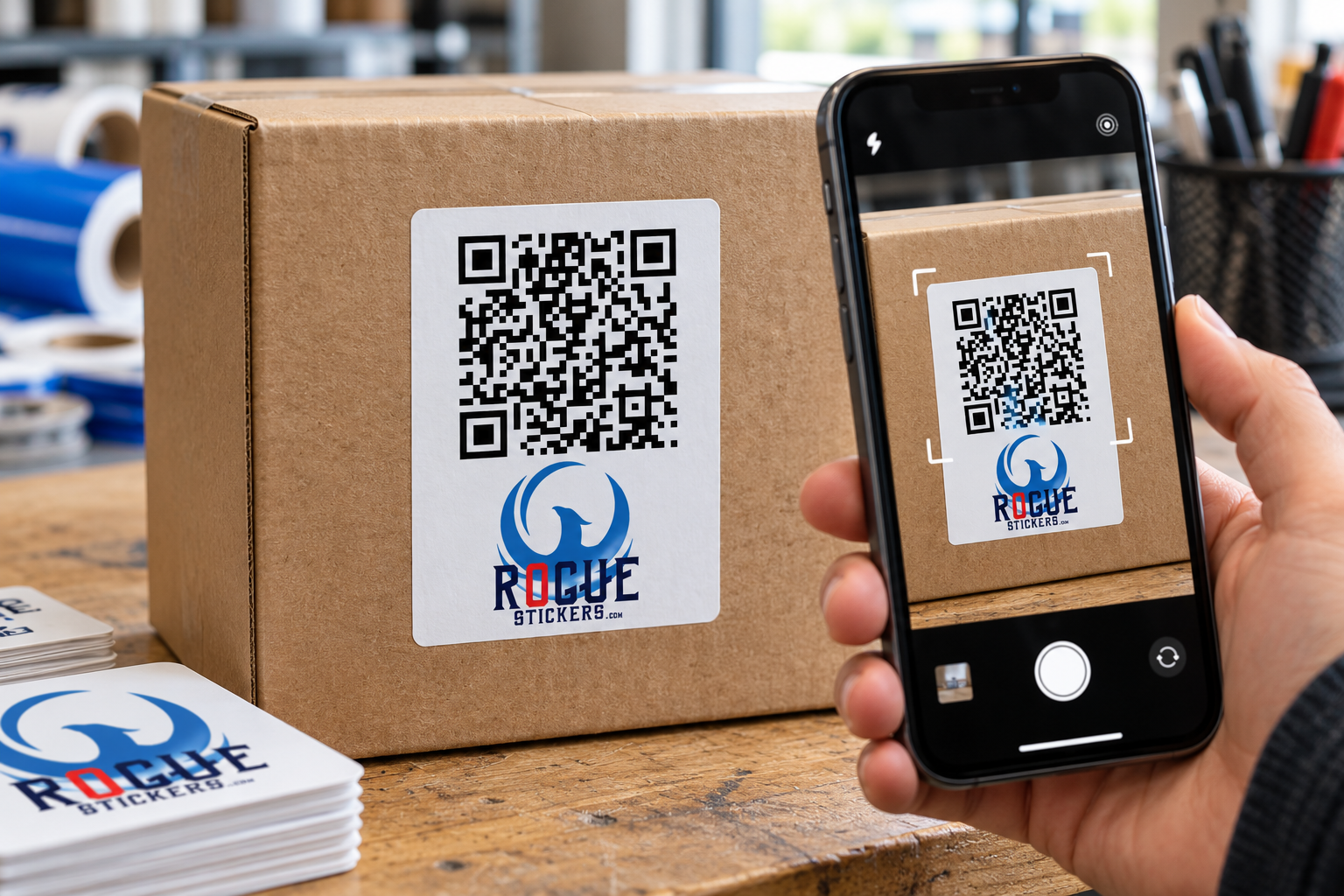
A QR code sticker can turn an ordinary surface into a direct path to digital information. A customer points a phone camera at the code and can be sent to a website, menu, registration page, instruction page, contact form, or another online destination.
Unlike printing a QR code directly on permanent packaging, a sticker gives a business more flexibility. It can be added to boxes, bags, windows, signs, event materials, product inserts, and equipment without redesigning the entire item.
That flexibility is useful, but printing a QR code is not as simple as placing a small black square in the corner of a design. The code must remain large enough, clear enough, and accessible enough for a phone to read it.
What Makes a QR Code Sticker Scannable?
A phone camera must be able to recognize the shape of the code and distinguish its dark and light modules. Modules are the small squares that form the complete QR code.
Reliable scanning depends on several connected factors:
• The printed size of the code
• The distance between the phone and the sticker
• The contrast between the code and its background
• The amount of clear space around the code
• The complexity of the encoded information
• The sharpness of the printed artwork
• The surface and location of the sticker
• Lighting, reflections, curves, and viewing angle
A code may work perfectly on a computer screen and still become difficult to scan after it is reduced, printed, laminated, bent around a container, or placed beneath glare.
How Large Should a QR Code Sticker Be?
There is no single minimum size that works for every QR code sticker. The correct size depends on the code itself, the expected scanning distance, the printing process, and the environment where it will be used.
A small code viewed from a few inches away may scan successfully. That same code may fail if customers are expected to scan it from several feet away.
Codes also become more visually complex as they contain more information. A dense code has more modules packed into the same area. If that code is printed too small, those modules may lose definition.
Choose the finished sticker size according to how customers will actually use it. A code on a product box can be scanned at close range. A code on a storefront window, event display, or wall sign may need to be considerably larger.
Do not reduce a QR code simply because it technically fits inside the artwork. It must remain practical for the person holding the phone.
What Is the Clear Space Around a QR Code?
The empty border surrounding a QR code is called the quiet zone. It separates the code from text, photographs, patterns, logos, and other design elements.
A standard QR code requires a clear margin four modules wide on every side. A module is one of the individual squares within the code.
The quiet zone is part of the functional design. It should not be filled with:
• Text
• Decorative borders
• Background patterns
• Photographs
• Icons
• Additional branding
• Parts of an illustration
Crowding the code can make it harder for a camera to identify where the code begins and ends. If the sticker design feels cramped, enlarge the sticker or simplify the surrounding artwork instead of removing the clear margin.
Do QR Codes Need to Be Black and White?
Black on white is a dependable choice because it creates strong visual separation, but color can be used when sufficient contrast is preserved.
The darker portions of the code should remain clearly different from the light background. Pale colors, similar shades, busy photographs, gradients, and transparent areas can reduce readability.
Reversing the traditional arrangement by placing a light code on a dark background may also create inconsistent results between devices and applications. A conventional dark code on a clean light field is generally the safer option.
Brand colors can still appear elsewhere on the sticker. The QR code does not need to carry the entire visual identity of the design.
Can You Put a Logo Inside a QR Code?
Some QR code generators allow a logo or icon to appear in the center of the code. Error correction can sometimes allow a code to remain readable when a portion is modified or obscured.
That does not make every logo treatment safe.
A logo that is too large can cover essential modules. Decorative changes to the corner markers can also interfere with recognition. The more a code is altered, the more important real testing becomes.
If the logo is already displayed elsewhere on the sticker, keeping the QR code visually simple may produce a more dependable result.
Never assume that a customized code works because the generator successfully created it. Test the exact artwork that will be printed.
Should You Use a Static or Dynamic QR Code?
A static QR code contains its final destination directly. Once created and printed, that destination cannot normally be changed without replacing the sticker.
A dynamic QR code typically directs the user through a managed redirect. The destination may be editable through the provider even after the sticker has been printed.
This can be useful when a business expects a page address or campaign destination to change. However, the continued function of a dynamic code may depend on the service that created or hosts it. Features, tracking, subscriptions, and account requirements differ by provider.
Before ordering a large quantity, confirm:
• Whether the destination can be changed
• Whether the service requires continuing payment
• What happens if the account is canceled
• Whether scan tracking is included
• Whether the redirect domain is trustworthy
• Whether the code will continue working over the intended lifespan
Rogue Stickers does not need access to private account information to print artwork, but the submitted QR code should already be active and tested.
What Should the QR Code Link To?
The best destination is a page that makes sense at the moment the sticker is scanned.
Possible destinations include:
• A restaurant menu
• A product instruction page
• An event registration page
• A warranty form
• A business contact page
• A review request page
• A campaign landing page
• A product authenticity page
• A portfolio or artist page
• A digital catalog
Send customers to a specific useful page instead of making them search through a general home page.
The destination should also work well on a phone. A perfectly printed QR code still creates a poor experience if it opens a slow page, an expired promotion, a desktop only form, or content that does not match the invitation on the sticker.
Should a QR Code Sticker Include Instructions?
A short call to action tells customers why they should scan the code.
Examples include:
• Scan to view the menu
• Scan for care instructions
• Scan to register
• Scan to see available colors
• Scan to contact us
• Scan to learn more
Avoid vague wording when a more useful instruction is available. Customers are more likely to understand the purpose of the code when the expected result is stated clearly.
Keep the instruction close enough to be associated with the code without entering the quiet zone.
Where Should You Place a QR Code Sticker?
Place the sticker where a person can comfortably point a phone at it.
Avoid locations that are:
• Hidden behind handles or packaging folds
• Close to the floor
• High above normal viewing level
• Covered by another label
• Frequently scratched or rubbed
• Strongly curved
• Beneath intense glare
• Difficult to approach
• Likely to become dirty
Curved drinkware, bottles, poles, and containers deserve special attention. A large QR code wrapped around a narrow object may bend enough that a camera cannot see the complete pattern at once.
For a curved surface, a smaller code may lie flatter, but it must still be large enough to print and scan clearly. Testing the actual sticker on the actual object is the safest approach.
Can You Put a QR Code Sticker on a Window?
Yes, but visibility and placement matter.
A code intended to be scanned from outside should face the customer and remain accessible when the business is closed. Reflections, tinted glass, direct sunlight, interior lighting, and viewing distance can all affect scanning.
If the sticker will be viewed through glass, test it from the correct side and at the expected distance. Do not rely only on a close scan under indoor lighting.
Austin and other Texas businesses should also consider how direct sunlight changes glare and visibility during the day. Test the planned location in the morning, afternoon, and evening when practical.
What File Should You Submit for QR Code Sticker Printing?
Use the cleanest version available. Vector artwork is useful because it can be resized without turning the modules into blurry pixels.
If a raster image is used, it should have enough resolution at the final printed size. Do not take a screenshot of a QR code and enlarge it. Enlarging a small screenshot can soften the edges between modules.
The final file should preserve:
• A square overall code shape
• Sharp module edges
• Strong contrast
• The complete quiet zone
• The correct destination
• Adequate resolution
• The intended finished size
Review the exported file after designing the sticker. Some editing programs may compress, blur, recolor, or resample artwork during export.
How Should You Test a QR Code Before Printing?
Test the exact final file rather than an earlier version of the code.
A practical review should include:
-
Open the finished artwork at its intended physical size.
-
Scan it with more than one phone when possible.
-
Confirm that it opens the correct destination.
-
Check the page on a mobile device.
-
Print a sample at actual size.
-
Test the printed sample under realistic lighting.
-
Test from the distance customers will use.
-
Apply the sample to the intended surface.
-
Test again after application.
-
Confirm that glare, texture, and curvature do not interfere.
Testing several devices does not guarantee that every phone will behave identically, but it can reveal obvious problems before a full order is produced.
What Are the Most Common QR Code Sticker Mistakes?
The most common problems are usually preventable:
• Printing the code too small
• Removing the quiet zone
• Placing the code over a photograph
• Using weak color contrast
• Stretching the code out of proportion
• Uploading a blurry screenshot
• Covering modules with a large logo
• Linking to the wrong page
• Using an expired or restricted destination
• Placing the sticker on a sharp curve
• Testing only on a computer screen
• Forgetting to test the finished sticker
A QR code should be treated as functional artwork. Appearance matters, but reliable scanning is the first requirement.
Plan the Sticker Around the Scan
A successful QR code sticker connects a physical moment to a useful digital destination. That connection depends on more than generating the code.
Think about where the sticker will be placed, how far away the customer will stand, what lighting will be present, and what the customer expects to find after scanning.
Keep the code clear, protect its quiet zone, use strong contrast, and test the final printed size on the real surface.
When the design and destination work together, a custom QR code sticker can make menus, packaging, events, instructions, and customer communication easier to access.
Visit Rogue Stickers to explore custom sticker options for your next business, packaging, or event project.
Read our sticker artwork preparation guide and proofing FAQ. For questions about a specific application, contact Rogue Stickers before ordering.